Fundraising Features
Free A-Thon Fundraising.
Raise More, Work Less.
Use the world's easiest and most flexible a-thon fundraising platform for free.
*Standard credit card donation processing fees apply.
Features That Help You Raise More
We're always thinking of new ways to maximize your fundraising potential. PledgeStar consistently raises more than any other online platform. Pick a category below to see how.
Email Requests
Pledge Drives are hard because asking family and friends for donations is uncomfortable. PledgeStar makes it fun and easy with customized email pledge requests that read like a personal appeal from your child, so you reach more supporters and raise more.
Text Requests
Send pledge requests by text to family and friends who prefer messages over email, or whose email address you don't have. Families who add texting raise 15% more than those using email alone.
Social Media Sharing
While email and text are the most effective ways to collect donations, PledgeStar also lets you share your personal fundraising page on Facebook and X to reach even more family and friends.
Online Contacts
Chances are you don't remember every family member and friend who would be happy to give. PledgeStar's address book integration lets you pull in contacts from Gmail, Yahoo, and Microsoft and pick who receives a pledge request.
Pledge Request Video
Many organizations create a short video to announce their new Pledge Drive. PledgeStar lets you embed that video right into your donation request emails for a richer, more engaging appeal.
Flexible Pledge Types
Whether your Jog-A-Thon accepts per-lap donations or your Read-A-Thon tracks per-minute pledges alongside flat donations, PledgeStar's per-repetition option has you covered.
Smart Goal Meter
Don't lose a donation because a donor sees a completed goal and assumes it isn't needed. Every fundraising page includes an optional, automatically increasing Goal Meter that keeps encouraging donors, and parents can override it if they prefer.
School Goal Meter
Sometimes parents need a little extra motivation. Our School Goal Meter shows families how much more is needed to keep the programs they love funded, right on the school-wide page.
Corporate Matching
Donors are reminded to take advantage of matching gift programs offered by their employer. If a match is available, the donor can flag it so it's automatically accounted for on the event site.
Sponsors
If your event has business sponsors, PledgeStar makes it easy to display their logo and a clickable link to their website right on your family pages.
Sign-Up Reminders
With everything parents have going on, it's easy to get distracted. PledgeStar automatically emails families who haven't finished setting up their fundraising page, which boosts participation and raises more.
Donation Reminder
With so many emails and texts competing for attention, it's easy to overlook a request. PledgeStar automatically sends a polite reminder to re-engage family and friends who meant to donate but didn't.
Leaderboards
A little healthy competition goes a long way. Some schools offer incentives based on how much a class raises, and our Classroom Leaderboard lets parents see how close their class is to the goal.
Personalized Pages for Every Student
Every student gets a personalized fundraising page to share with friends and family via text, email, and social media, making every ask feel more personal.
Translations
Let families and donors translate their pages and letters into over 50 languages when setting up their site or making a donation, so you can reach non-English speaking supporters who might otherwise miss out.
Free Plan
Choose the FREE plan and pay nothing to use the platform, with donors able to add a small amount at checkout to keep the platform FREE.
Online Checks Option
Some donors prefer sending a check instead of paying online. PledgeStar lets organizations accept pledges by check, sends donors instructions, tracks the pledge, and even sends a gentle reminder if they forget to mail it.
PayPal Support
Organizations using PayPal as their payment processor give donors another easy way to give: supporters can complete their donation by paying directly with their PayPal account.
Digital Wallets
Organizations using Stripe as their payment processor let donors check out even faster with Apple Pay or Google Pay, no card number typing required.
World-Class Support
A dedicated Pledge Drive Specialist guides your organization through every step, from setup to launch to your final fundraising report, so you're never on your own.
Features That Make It Easy
Fundraising should be simple for everyone: organizers, families, and donors alike. Here's how PledgeStar streamlines setup, participation, and giving better than any other platform.
Quick View Dashboard
Your PledgeStar Dashboard gives you a range of real-time, easy-to-understand information so you always know where your fundraiser stands and can keep everything on track.
Flexible Reports
The Prize Report lets you determine prizes by student, class, or grade whenever you want, including money received online and offline, so you always know who is eligible for a prize. The Deposit Report details every donation your school receives, following PTA standards, whether it came by credit card, check, or cash. The Outstanding Pledge Report shows online pledges that have been made but not yet received, so you know when it's the right time for a reminder.
Offline "Pledge Packet" Donation Entry
Online credit card donations get entered automatically, and our easy-to-use offline entry form lets you fold in check and cash donations too. PledgeStar never charges a fee on donations made offline.
Ready-Made or Custom Pledge Request Message
Some organizations are happy with the proven, ready-made pledge request PledgeStar provides. Others prefer to write their own. Either way, PledgeStar has you covered.
Starter Flyer
Every organization gets a well-designed, easy-to-understand instructional flyer to get families started with PledgeStar. Download it as a PDF or copy it into Word to adjust as you see fit.
Automated T-Shirt Size Collection
PledgeStar can optionally collect students' t-shirt sizes on the front end, so you don't have to chase it down on the back end.
Tutorial Videos
We're always a phone call or email away, but for do-it-yourselfers, your Administrator page includes quick tutorial videos explaining every feature and how to use it.
Online Check Entry
If you allow donors to pay by check, keeping track of and accounting for those donations is simple with PledgeStar's online check entry form.
Per-Repetition Entry
If you enable per-repetition donations, like pledges per lap for a Jog-A-Thon or per minute for a Read-A-Thon, PledgeStar makes it easy to record each student's count and automatically sends donors notices explaining how to complete their donation.
Optional Classroom Leaderboard
Administrators who post class competition stats will love the Classroom Leaderboard, since families can check standings any time on their own without having to ask.
Mobile Friendly
Need to check your fundraiser's status on the go? PledgeStar works just as well on your phone as it does on your desktop, so you get real-time results wherever you are.
A Dedicated Pledge Drive Specialist
With PledgeStar, you work with a Pledge Drive Specialist dedicated to helping you squeeze every last dollar from your fundraiser. If you ever need help, we're a quick call or email away.
Easy Setup
The less parents have to do, the more likely they are to participate. Signing up your child and sending pledge requests takes only a few minutes.
Auto-Fill Prior Year Donors
Returning families get an even easier setup: PledgeStar remembers the donors you entered the year before.
Online Address Book Integration
Instead of entering contacts one by one, pull in your Gmail, Yahoo, or Microsoft address book and select who receives a pledge request, all at once. This also helps make sure no one gets overlooked.
One-Click Social Media
Don't have everyone's email or phone number? PledgeStar makes it easy to reach family and friends through Facebook and other social media instead.
Pledge Request Tracking
One of the most fun parts of PledgeStar is watching donations come in. Students can see exactly where each pledge request stands, whether Grandma already gave or hasn't opened the email yet, and PledgeStar flags any request that didn't deliver so you can fix it.
Combined Family Page
Families with more than one child sign up only once, no matter how many kids are participating. Donors receive a single request and can make one donation that's automatically split between the children.
Reading Log
For organizations hosting a Read-A-Thon, families log their minutes, pages, or books right from their family page, and can print a copy if a teacher asks for one.
Classroom Leaderboard
If your fundraising incentives include a class competition, families can check their classroom's standing any time to decide whether to give it one more push.
Automated Thank You Notes
Your child will likely want to thank donors personally too, but PledgeStar automatically sends a payment receipt with a simple thank-you note as soon as a donation is received.
Translations
Families and donors can translate their pages and letters into over 50 languages when setting up their site or making a donation, so language is never a barrier to giving.
Mobile Friendly
You don't have to be at a computer to set up your family page or check progress. PledgeStar is built mobile-first, so you can do it whenever and wherever works for you.
Family Support
Instead of leaving families to field questions from donors on their own, PledgeStar's support team is available online or by phone to help everyone directly.
Easy One-Step Donation
Donors receive a pledge request with a personal donation link. Clicking it takes them straight to their own donation page, where they complete their gift by entering just an amount, card number, and expiration date. It doesn't get any faster.
Digital Wallets
Donors can check out faster with Apple Pay or Google Pay, and PledgeStar also offers the option to donate by check or PayPal.
One Pledge Request Per Family
Grandma doesn't want a separate request from each grandchild. PledgeStar sends a single pledge request covering every participating child, so she makes one donation that's automatically split between them for parents and administrators.
Automated Receipts
To make tax time easier, PledgeStar automatically sends a payment receipt that includes the school's tax ID number along with a thank-you note.
Encouraging Messages
Donors can leave an encouraging message right after making their pledge, a small touch that means a lot to the student on the receiving end.
Translations
Donors can translate the fundraising page and letter into over 50 languages before giving, so non-English speakers never have to sit this one out.
Mobile Friendly
Because PledgeStar is built mobile-first, donors can complete their gift right from their phone, whenever and wherever it's convenient.
Donor Support
Every donation matters. Our friendly support team is ready to answer donor questions online or by phone, so no gift falls through the cracks.
How A-Thon Fundraising Works With PledgeStar
Family and Friends
Your families invite their family and friends to donate using their personal fundraising pages.
the Asking
PledgeStar sends them email, text message, and social media donation requests.
in One Click
Donors click the link and complete their donation, straight into your organization's own account.
What Schools, Teams, and Booster Clubs Say About PledgeStar
"PledgeStar completely transformed our jog-a-thon. What used to raise $17,000 now brings in over $85,000, without third-party vendors taking a massive cut. It is incredibly easy for parents and grandparents, and we keep 100% of the money for our school."
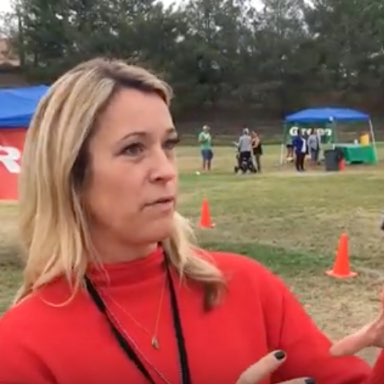
"With PledgeStar, we worked less and raised more. The system was incredibly easy to use! No licking stamps or sealing envelopes, and we raised more money than we ever had from a single fundraiser. It was just awesome."

"The Hit-A-Thon was a tremendous success. We raised over $38,000 with 250 players, and board members who've served for a decade had never seen anything like it. PledgeStar takes your fundraising to the next level, times ten!"

"We ask our 38 volunteers to raise $1,000 each for our foster-kids summer camp. With PledgeStar we reached our goal of $60,000 easily and even have $16,000 in reserves for next year. They saved our camp!"

"By using PledgeStar we doubled our profits with half the effort. Our emails were answered immediately, and help was just a phone call away. We raised over $12,000 — PledgeStar truly is a game-changer."

"The platform is just so easy to use and the reporting is really straightforward. Our dunk tank was the icing on the cake, and we raised $19,000, more than double what we brought in the year before."

How to Raise 50% More
Get the expert tips used by thousands of schools and teams to raise more and keep more with zero platform fees.
It's absolutely free. No commitment required.
Try PledgeStar for Free
No platform fee and no obligation. Tell us a bit about your organization and we'll set up your event.